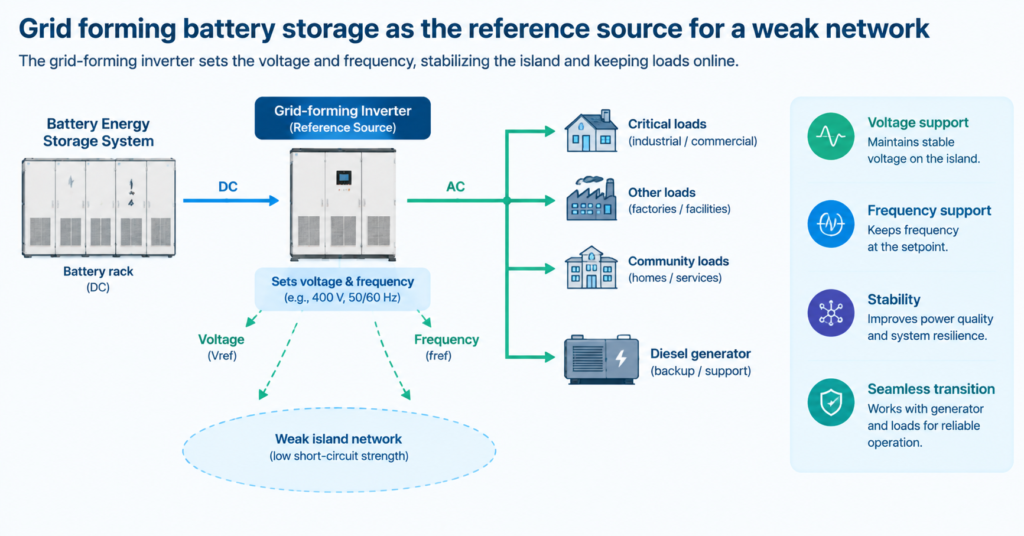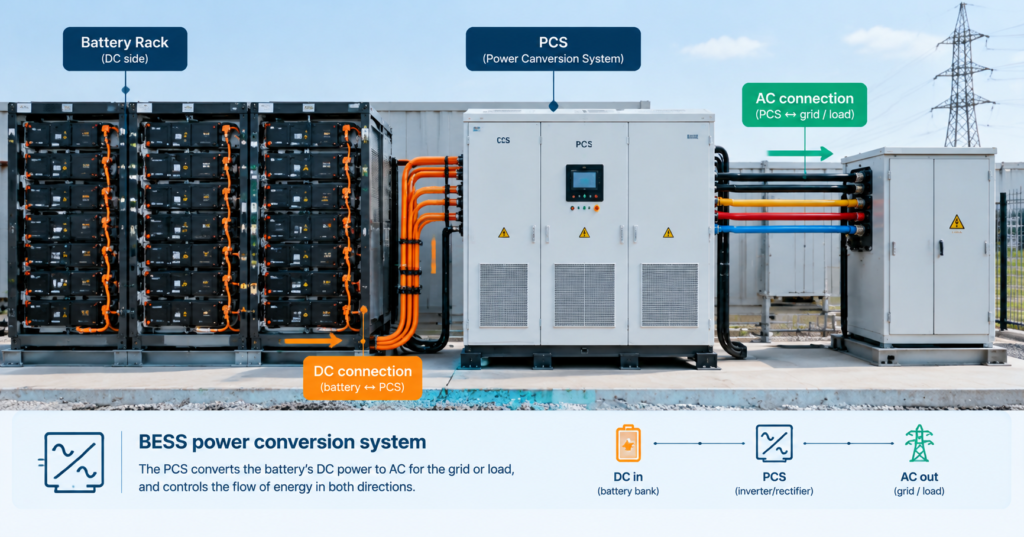
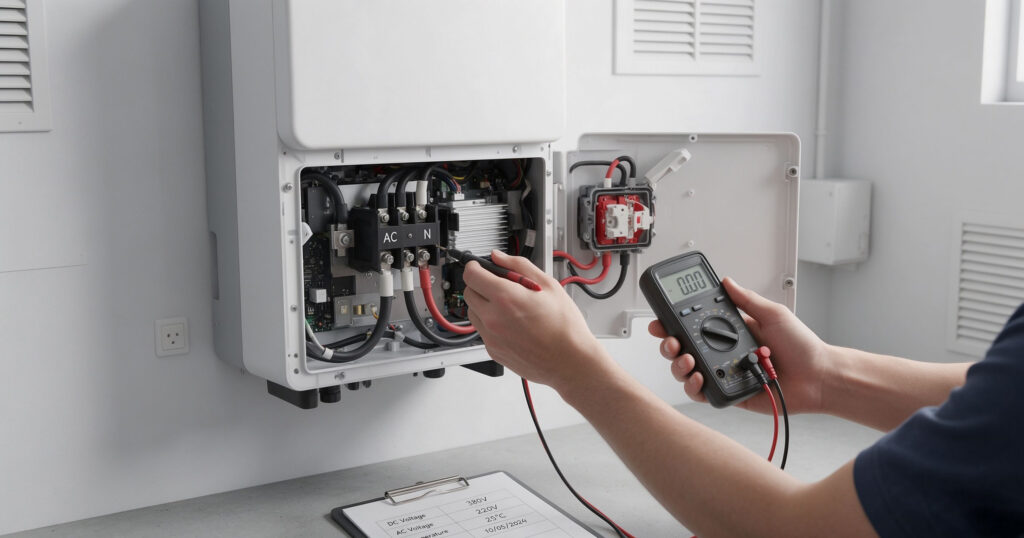
A solar inverter not working is usually a boundary problem rather than a dead unit: the fault is almost always on one side of it — the DC side from the array or battery, the AC side toward the grid, or the unit’s own protection logic reacting to something it disliked. That turns a scary symptom into a short list of checks. This guide works through them in order: what the unit is telling you, what to verify on each side, which lockouts clear themselves, and how to tell an inverter fault from a battery or comms fault wearing the same disguise.
Dead inverters are usually not dead. Before ordering a replacement, work the boundary — what goes in, what comes out, and what the unit says about both.
First: read what the inverter is telling you
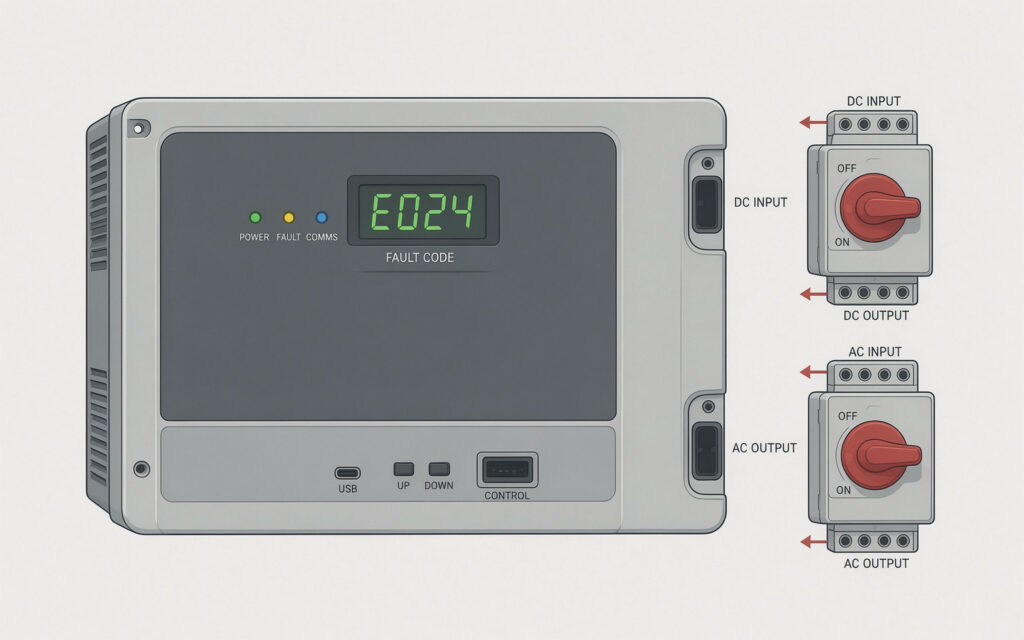
Modern inverters report their state through LEDs, a display, or an app, and the report narrows the search before a single cover comes off. A unit with no lights at all is a different problem from a unit showing a grid fault, and both differ from one showing an insulation fault. The state categories that matter are: no power to the unit, DC input absent or out of window, AC grid absent or out of window, protection active (insulation, GFCI, islanding, over-temperature), and internal fault.
Write the code down before clearing it. Most units log recent events, and the sequence — what faulted first, what cleared, what faulted again — is the diagnosis. Clearing a code without reading it is how a recurring fault becomes an expensive mystery. The remote battery monitoring apps guide covers reading these logs remotely, and the Sol-Ark inverter installation guide guide walks a full commissioning checklist where most first-day faults originate.
DC side checks
The DC side is where the array or battery meets the inverter, and its failures are the most common. Start with voltage at the inverter’s DC terminals: is the array or bank present at all, and is it inside the unit’s start-up window? An array in darkness produces nothing, and a unit that will not start at dusk is behaving correctly, not failing — check again in the morning before escalating.
Where voltage is present, look at the path. DC isolators must be closed, fuses intact, MC4 connectors mated and free of corrosion, and the insulation between conductors and ground intact. A single loose or corroded connector can drop the string voltage below the start-up threshold and take a whole array offline. Where a battery feeds the unit, check the bank’s state — a bank at its low-voltage cutoff will disable the inverter by design, and the battery powered inverter guide covers the input-window expectations that apply.
| Symptom | Likely side | First check |
|---|---|---|
| No lights, no display | AC supply or internal PSU | Grid voltage at the AC terminals; breakers |
| Starts at noon, dead at dusk | Normal behaviour | Nothing — confirm against sunrise |
| Grid fault at all hours | AC side | Grid voltage and frequency at the terminals |
| Insulation or GFCI fault | DC side | Moisture ingress; connector condition; cable damage |
| Runs then stops when load starts | Surge or battery limit | Battery discharge rating; surge margin |
AC side checks
The AC side is simpler but has one notorious failure mode: the grid. A grid-tied unit will not run without a stable AC reference within its voltage and frequency window, and a unit that reports a grid fault during a local outage is doing its job. Verify grid voltage and frequency at the inverter’s AC terminals with a meter — not at the socket in the next room — and check the AC breakers and any upstream protection.
Look also at what the unit is feeding. A backed-up panel with a failed transfer arrangement, a sub-panel breaker in the off position, or a whole-house surge protector that has sacrificed itself can all present as a dead inverter. Where the unit serves a battery-backed load, confirm the backup transfer actually closed — many hybrid units hold the backup circuits dead until they see a valid source. A solar inverter not working that produces nothing on the AC side but shows a healthy DC input almost always lives in this paragraph. The solar inverter connection diagram guide shows the topology these checks follow, and the how an inverter works guide explains the stages involved.
Protection lockouts: what clears itself
Protections exist to stop the unit damaging itself or the grid, and they divide into two kinds. Self-clearing protections respond to a transient condition — a momentary grid disturbance, a passing cloud bank, a temperature spike — and reset automatically once the condition passes; the unit will usually retry on a schedule. Latching protections hold until the condition is resolved and the unit is reset, and they name the condition in the code: insulation fault, GFCI, islanding, over-temperature, DC over-voltage.
The distinction matters because the response differs. A self-clearing fault that recurs is a symptom of something upstream — a loose connection, a failing component, a marginal grid — and the recurrence is the signal to investigate. A latching fault that returns immediately after reset is telling you the cause is still present, and repeated resets will not help. Over-temperature faults usually mean the installation, not the electronics: blocked ventilation, an enclosed cupboard, an ambient above the unit’s rating, or a unit run near its continuous ceiling for hours. When the question is simply solar inverter not working and the unit is warm to the touch, that last line is the first thing to check.
When it is the battery or the comms
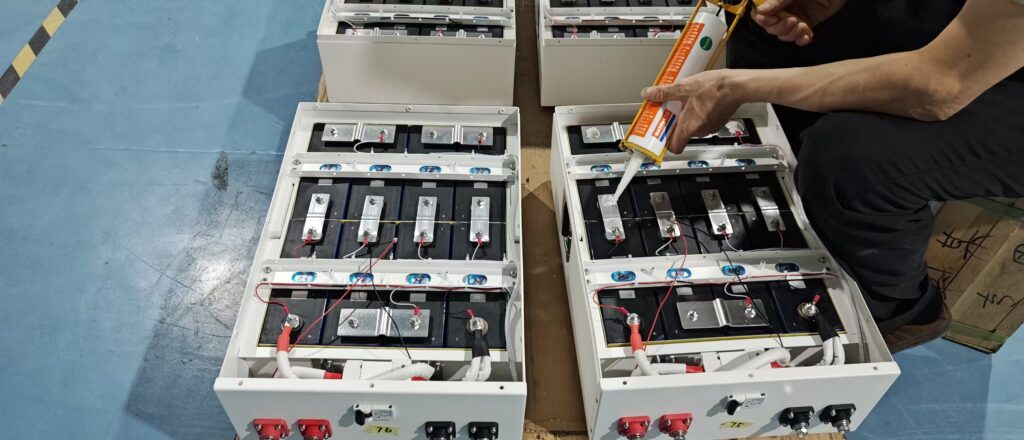
On hybrid and storage systems, two faults masquerade as inverter faults. The first is the battery: a bank at its cutoff, a BMS that has opened its contactor, or a communication loss that leaves the inverter with no closed-loop data will all stop the system, and the inverter’s code will point at its own input stage rather than at the bank. Check the bank’s own indicators and its state of charge before condemning the inverter.
The second is communications. Inverters that depend on a meter, a BMS or a battery controller for their operating decisions will sit idle when that link drops, because they have lost the information they need to decide what to do. The symptom looks identical to a dead unit. The 10 kilowatt inverter guide covers the current limits that often underlie these stops, and the high efficiency inverter guide guide explains the efficiency behaviour that makes part-load running a diagnosis clue rather than a fault.
Decision path
Work the boundary in order and the fault usually declares itself within twenty minutes. Is the unit powered? Is the source present and in window? Is the grid or load side healthy? What does the code say, and did it latch or self-clear? Is the battery actually able to supply? Only after those five questions is a hardware failure the likely answer — and even then, power supplies, fans and capacitor wear are the usual culprits, all of which are service items rather than reasons to replace the unit. Reported honestly, most cases of solar inverter not working end at the boundary rather than at the repair bench.
Keep the event log. A system that faults on a schedule — every hot afternoon, every time the pump starts, every cloudy morning — is describing its own root cause, and the pattern is visible only if someone wrote the timestamps down. The solar panel maintenance guide covers the upstream maintenance that prevents many of these faults from occurring at all.
solar inverter not working?
When a solar inverter is not working, the cause is usually on one side of it: the DC input from the array or battery, the AC side toward the grid, or a protection the unit has latched. Reading the fault code narrows the search before any cover comes off.
Why is my inverter not turning on in the morning?
Usually the array has not yet reached the unit’s start-up voltage — normal behaviour in low light. If it stays off past mid-morning, check the DC isolators, fuses and string voltage.
Why does my inverter show a grid fault when the power is out?
That is correct behaviour. A grid-tied inverter must disconnect when the grid fails, for the safety of line workers. It will reconnect when the grid returns and is stable.
Q. What does an insulation fault mean?
A DC conductor is leaking current to ground — commonly moisture in a connector, damaged cable, or a corroded junction. The unit latches off until the leak is found; it will not clear by itself.
Q, My inverter runs then trips under load — why?
Either the load’s surge exceeds the inverter’s surge rating, or the battery cannot supply the current and its voltage collapses. Both look identical from outside; check the bank’s discharge capability first.
Q. How do I reset a latched fault?
Resolve the named condition first, then power the unit down and back up per the manual. A fault that returns immediately after reset means the cause is still present — repeated resets will not help.
Q. When should I replace the inverter rather than repair it?
After the boundary checks point inside the unit. Power supplies, fans and capacitors are service items; a failed main board or a unit out of support is usually a replacement decision.
Next step: work the boundary before ordering parts
Most “dead” inverters are boundary faults. Send the fault code, the configuration and the event log, and we can help narrow it.
- Understand the topology with the how an inverter works guide
- Check the bank pairing in the 48V inverter guide guide
- For chisidal, send your usage and site details, and we will come back with product prices, lead time and warranty information.